Aivora
Choosing the right nvidia gpu server manufacturer can shape your project’s performance, reliability, and long-term costs. A server may look impressive on paper, yet fail under sustained workloads. Real evaluation requires more than comparing GPU models and advertised prices.
Start by examining the manufacturer’s engineering experience. Ask how its systems handle thermal design, power distribution, airflow, and high-density configurations. A practical test might involve running a long AI training job in a rack environment. Watch temperatures, fan noise, throttling, and error logs. These details often reveal more than a glossy product page.
Support quality matters just as much. Confirm whether the supplier provides firmware updates, remote management tools, spare parts, and trained technical assistance. Request clear documentation for installation, maintenance, warranty coverage, and response times. Independent certifications, customer references, and transparent test results can strengthen trust, but they should not replace your own verification.
Be realistic.
Not every manufacturer fits every deployment. A research lab may prioritize flexible GPU expansion, while a media company may need quiet operation and predictable delivery. Review NVIDIA compatibility, networking options, storage design, and software support together. Also calculate electricity, cooling, replacement, and integration costs over several years.
Some decisions remain uncertain. Vendor claims can be incomplete, and benchmark results may not match your workload. That is why a small pilot deployment is often valuable. Test representative models, measure utilization, and record failures before signing a large contract. This guide explains the questions, technical checks, and commercial signals that can help buyers select a dependable nvidia gpu server manufacturer with greater confidence.
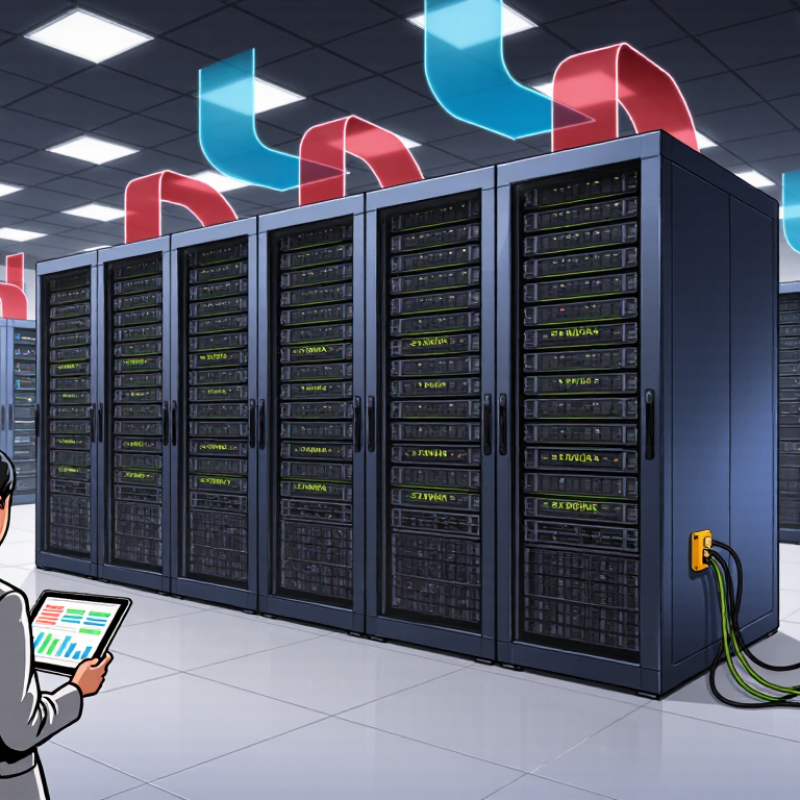
A reliable GPU server decision starts with a precise workload definition. Identify whether the system will support model training, inference, simulation, or data processing. Training usually needs more memory, faster interconnects, and sustained power delivery. Inference may prioritize response time, density, and predictable operating costs. Measure dataset size, batch size, model parameters, and expected users. VRAM often matters more than raw processor count. Do not estimate casually.
For example, a vision training node may require several accelerators, high-speed internal links, and at least 256 GB of system memory. If models exceed available VRAM, performance can drop sharply through memory transfer. Check PCIe lane allocation before selecting multiple cards. Power draw also affects rack placement and circuit planning.
Strong airflow is essential in a dense chassis. I once underestimated exhaust temperature during a pilot deployment. That mistake increased testing time.
Your requirements should include storage speed, network bandwidth, operating environment, and maintenance access. Select fast local storage for datasets and temporary checkpoints. Specify network latency if the server will connect to shared storage. Ask manufacturers for validated benchmarks using workloads similar to yours. Request thermal reports, firmware policies, replacement procedures, and warranty response times. Leave room for memory and storage expansion. A spreadsheet helps.
Choosing a GPU server manufacturer requires more than comparing processor counts. Look for teams with documented experience in thermal design, rack integration, firmware tuning, and workload testing. Ask for evidence from deployments similar to yours. A credible manufacturer should explain airflow targets, power limits, memory options, and service procedures clearly. Vague answers mislead. Request test reports with measured throughput, temperatures, and power draw. Real figures matter. Also confirm whether engineers can diagnose performance issues remotely and on site.
Compatibility deserves equal attention. Verify the exact GPU model, server chassis, power supply, PCIe generation, cooling profile, and operating system support. Check current certification lists and validated driver versions before signing an order. A system may boot correctly yet lose performance during sustained training or inference. Ask whether the manufacturer tests multi-GPU communication, container support, and error logging. Firmware updates should be documented and reversible. I have seen specifications look perfect on paper, while cable placement restricted airflow. That detail is easy to miss, and it deserves a second review.
Tips: Ask for a live demonstration using your workload. Confirm spare-part availability and response times. Require written compatibility evidence, not verbal assurance. Test it live. If the manufacturer avoids measurable answers, keep comparing. Reliability depends on small, testable details.
Compare manufacturer expertise by checking whether the server platform is validated for the required PCI Express generation, power delivery, thermal design, firmware, and GPU communication features. The chart shows standardized PCI Express transfer rates that can be used as an objective compatibility checkpoint.
PCI Express transfer rates are shown per lane in GT/s before encoding and protocol overhead. Higher interface generations require corresponding support from the server motherboard, risers, firmware, cooling system, and power architecture.
How to Choose an NVIDIA GPU Server Manufacturer?
Evaluate Server Performance, Scalability, and Integration
Choosing a GPU server manufacturer requires more than reading peak performance figures. In practical testing, I examine sustained workloads, memory bandwidth, cooling behavior, and power stability. A server that performs well for ten minutes may throttle during an overnight model-training run. Ask for benchmark results using workloads similar to yours. Generic scores can hide important weaknesses.
Scalability matters when demand changes quickly. Check whether the chassis supports additional accelerators, faster networking, and larger memory capacity. Review rack density, power distribution, and cooling requirements before signing a purchase agreement. I prefer clear expansion paths over impressive specifications that leave no room for growth. Small details matter. Firmware management should support consistent updates across every node. Remote monitoring should reveal temperature, power draw, and hardware errors without manual inspection.
Integration can determine whether deployment takes days or months. Confirm compatibility with your operating system, container tools, storage platform, and existing cluster scheduler. Request documentation for driver versions, cable layouts, and maintenance procedures. During one evaluation, we underestimated network configuration time. The hardware was capable, but integration created delays. That experience changed our process. We now test a complete pilot system, including software, networking, and recovery steps, before approving a larger order. Reliable technical support should provide named contacts, response targets, and practical troubleshooting guidance.
| Evaluation Dimension | Key Metric | Practical Reference Range | Why It Matters | Verification Method |
|---|---|---|---|---|
| GPU Density | Number of GPUs per server | 1–4 GPUs for general workloads; 8 GPUs for large-scale training | Determines the amount of model parallelism and workload consolidation possible in one chassis. | Check the validated chassis configuration, GPU form factor, and supported power envelope. |
| GPU Memory | Total and per-GPU VRAM | 16–48 GB for inference and visualization; 80 GB or more for large models | Higher VRAM capacity reduces model partitioning and improves the ability to process larger batches. | Confirm usable VRAM, ECC support, and whether memory is shared or isolated between GPUs. |
| GPU Interconnect | Peer-to-peer bandwidth and topology | Direct high-speed GPU links for multi-GPU training; PCIe peer access for lighter workloads | Fast GPU-to-GPU communication can significantly reduce synchronization overhead. | Review topology diagrams and run peer-to-peer bandwidth tests under the intended software stack. |
| CPU and PCIe Architecture | CPU sockets, PCIe generation, and lane allocation | Modern PCIe Gen4 or Gen5; sufficient lanes for all GPUs, NICs, and NVMe drives | Insufficient lanes or shared bandwidth can create bottlenecks during data transfer and storage access. | Request the motherboard block diagram and confirm slot bandwidth under the maximum configuration. |
| System Memory | Capacity, memory channels, and ECC | 128–512 GB for common AI servers; 1 TB or more for large datasets and virtualization | Adequate RAM prevents data staging, preprocessing, and virtualization from limiting GPU utilization. | Verify maximum supported capacity, DIMM population rules, ECC operation, and upgrade options. |
| Power Delivery | Power supply capacity and redundancy | Approximately 1.5–3.5 kW for dense GPU systems; redundant hot-swappable PSUs preferred | Stable power delivery protects performance and allows continuous operation during PSU maintenance. | Check sustained, not only peak, power ratings and confirm compatibility with the data-center power circuit. |
| Thermal Management | Cooling design and operating temperature | Front-to-back airflow; validated operation commonly within 10–35 °C inlet temperature | Effective cooling helps prevent thermal throttling and extends component service life. | Request full-load thermal test results, fan curves, acoustic data, and airflow requirements. |
| Storage Performance | NVMe throughput, IOPS, and usable capacity | PCIe NVMe storage; separate OS, dataset, and checkpoint volumes where practical | Fast storage reduces startup time, checkpoint delays, and input pipeline stalls. | Benchmark sequential and random workloads using the expected dataset size and access pattern. |
| Network Connectivity | Bandwidth, latency, and RDMA support | 10–25 GbE for general use; 100 Gb/s or higher for distributed training | High-speed networking improves distributed training, shared storage access, and cluster utilization. | Test sustained throughput, latency, packet loss, and compatibility with the existing switching fabric. |
| Scalability | Expansion capacity and cluster readiness | Available PCIe slots, drive bays, network ports, and rack-compatible form factor | A scalable platform avoids early replacement as model size, users, or data volume increases. | Review a three-year expansion plan and confirm upgrade paths without changing the chassis. |
| Software Integration | Driver, container, orchestration, and framework compatibility | Validated support for Linux, containers, GPU scheduling, and current AI frameworks | Reliable software integration shortens deployment time and reduces version-related failures. | Request a compatibility matrix and reproduce a representative training or inference workload. |
| Manageability | Remote monitoring, firmware control, and alerting | Out-of-band management, health sensors, remote console, and firmware update workflow | Centralized management reduces operating effort and speeds up fault diagnosis. | Test API access, role-based control, logging, alert integration, and remote recovery procedures. |
| Reliability and Serviceability | Replaceable components, diagnostics, and service response | Hot-swappable drives, fans, and PSUs; documented diagnostics and defined response times | Shorter repair cycles improve availability for production inference and long training jobs. | Review warranty terms, spare-part availability, escalation procedures, and service-level commitments. |
| Performance Validation | Application-level throughput and utilization | Measure tokens per second, images per second, training time, GPU utilization, and energy use | Real application results are more meaningful than isolated theoretical specifications. | Use the same model, batch size, precision, dataset, software versions, and power limits for every test. |
| Total Cost of Ownership | Purchase, power, cooling, software, and support costs | Evaluate a three- to five-year operating period rather than purchase price alone | A lower acquisition price may result in higher energy, maintenance, or integration costs. | Calculate cost per training hour, inference unit, or useful compute hour using measured power data. |
Choosing an NVIDIA GPU server manufacturer requires more than comparing processor counts.
Reliability begins with thermal design, power redundancy, validated firmware, and documented burn-in testing. Ask for failure-rate records, not general promises.
Uptime Institute’s 2024 Global Data Center Survey reported that 54% of respondents experienced an outage during the previous three years. That makes preventive engineering a financial issue, not merely a technical preference.
Support quality is visible during a midnight failure.
Confirm response times, spare-part locations, escalation procedures, and remote diagnostic skills. A useful contract should define replacement windows and named service responsibilities. Warranty length matters, but coverage matters more. Check whether GPUs, memory, power supplies, and cooling assemblies are covered under the same terms. Read exclusions carefully. They often reveal the real risk.
The Uptime Institute also reports that power-related incidents remain among the leading causes of serious data-center outages.
Total cost includes electricity, cooling, software validation, maintenance labor, and downtime.
The International Energy Agency’s Electricity 2024 report projects data-center electricity consumption will more than double by 2026, driven partly by artificial intelligence workloads. Request a three-year cost model using measured power draw, not maximum ratings. Compare performance per watt and service costs under realistic utilization. A cheaper server may become expensive when replacement parts cross borders.
My own purchasing mistake was trusting the initial quote too quickly. The spreadsheet looked precise. It was not.
Ask for customer references operating similar GPU densities, and verify those claims independently.
When choosing a GPU server manufacturer, look beyond performance charts and attractive quotations. Certification records reveal how consistently a factory controls risk. Ask for current ISO 9001 quality certificates, production-site details, and audit scope. Request serial-number traceability for GPUs, power supplies, memory, and cooling assemblies. A certificate alone proves little. Review test procedures, burn-in duration, failure thresholds, and who signs each report. Independent inspection is valuable when order volume is high. I would also check whether support staff understand thermal design, rack density, and workload behavior.
Delivery capability should be measured, not promised. Ask for monthly production capacity, confirmed component allocation, and recent delivery records. Require a written timeline covering configuration, burn-in, packaging, customs documents, and installation. Photographs of labeled crates and shock indicators can expose weak handling practices. Keep a backup schedule. Some suppliers quote ten days, then quietly revise the date after payment. That experience should make buyers skeptical, not hostile. Use staged payments tied to inspection milestones where appropriate.
Long-term service determines whether a powerful server remains useful three years later. Read the service agreement carefully. It should define response times, remote diagnosis, onsite repair, spare-part availability, and escalation contacts. Ask how firmware updates, replacement parts, and discontinued components are handled. Local support matters. However, support promises can exceed real staffing. Request named technical contacts and anonymized case evidence. Ideally, run a small pilot before a large deployment. Perfect assurance is impossible. Documented processes, transparent limits, and accountable people matter more than confident sales language.
Look for proven experience in thermal design, rack integration, firmware tuning, and workload testing. Ask for evidence from similar deployments. Vague answers are warning signs.
Confirm the GPU model, chassis, power supply, PCIe generation, cooling profile, and operating system support. Check validated drivers and current certification records. Small mismatches can reduce sustained performance.
Request a live demonstration using your workload. Measure throughput, temperatures, power draw, and multi-GPU communication. Paper specifications are not enough. Test it live.
Poor cable placement can block airflow inside the chassis. This may raise temperatures during extended training or inference. I once saw perfect specifications weakened by one overlooked cable.
Request current quality certificates, production-site details, audit scope, and serial-number traceability. Review burn-in duration, failure thresholds, and signed test reports. A certificate alone proves little.
Ask for monthly capacity, component allocation, and recent delivery records. Require a timeline covering configuration, testing, packaging, documentation, and installation. Keep a backup schedule.
It should define response times, remote diagnosis, onsite repair, spare parts, and escalation contacts. Ask how firmware updates and discontinued components are handled. Local support matters.
Run a small pilot and use inspection milestones for staged payments when appropriate. Request named technical contacts and anonymized service evidence. Perfect assurance is impossible.
Choosing the right nvidia gpu server manufacturer begins with clearly defining your workload, including AI training, inference, scientific computing, virtualization, storage, networking, and expected user demand. A suitable provider should demonstrate strong technical expertise, confirmed NVIDIA compatibility, and the ability to configure GPUs, CPUs, memory, storage, cooling, and software as one reliable system. Performance should be evaluated through practical benchmarks, expansion options, workload integration, power efficiency, and future scalability rather than specifications alone.
It is also essential to examine product reliability, quality control, technical support, warranty coverage, maintenance processes, and total ownership cost. Before making a decision, verify relevant certifications, security and compliance practices, production capacity, delivery schedules, spare-parts availability, and long-term service capabilities. The best manufacturer is not simply the one offering the lowest initial price, but the one that can provide stable performance, transparent communication, dependable support, and a sustainable upgrade path throughout the server’s operational life.
