Aivora Aivora

7 Tips for Choosing the Best H100 Server Manufacturer

Time:2026-11-04 Author:Mason
0%

Choosing an H100 system is not just a matter of comparing GPU prices. The server must support demanding workloads, sustained operation, and the infrastructure already available at your site. A configuration that looks impressive on paper may still disappoint if its cooling, power delivery, or network design does not fit your needs. Details matter.

A reliable h100 server manufacturer should explain how its systems are configured, tested, and supported. Ask for clear information about GPU count, memory, storage, interconnects, airflow, and power requirements. Then check whether the proposed setup suits your actual workloads, such as model training, inference, or high-performance computing. These details affect deployment, operating costs, and future upgrades.

Support deserves equal attention. Find out how warranty coverage works, which spare parts are available, and how technical questions are handled after delivery. Ask for written specifications and realistic lead times rather than relying on broad promises. A polished product page is useful, but it is not proof of consistent service. That distinction can be easy to miss.

The seven tips in this guide offer a practical way to compare manufacturers without treating any single specification as decisive. Use them to examine engineering capability, compatibility, service, and total cost. Some requirements may only become clear after a workload test. That is worth admitting. A careful evaluation can reduce avoidable surprises and help you choose a system suited to both current demands and planned growth.
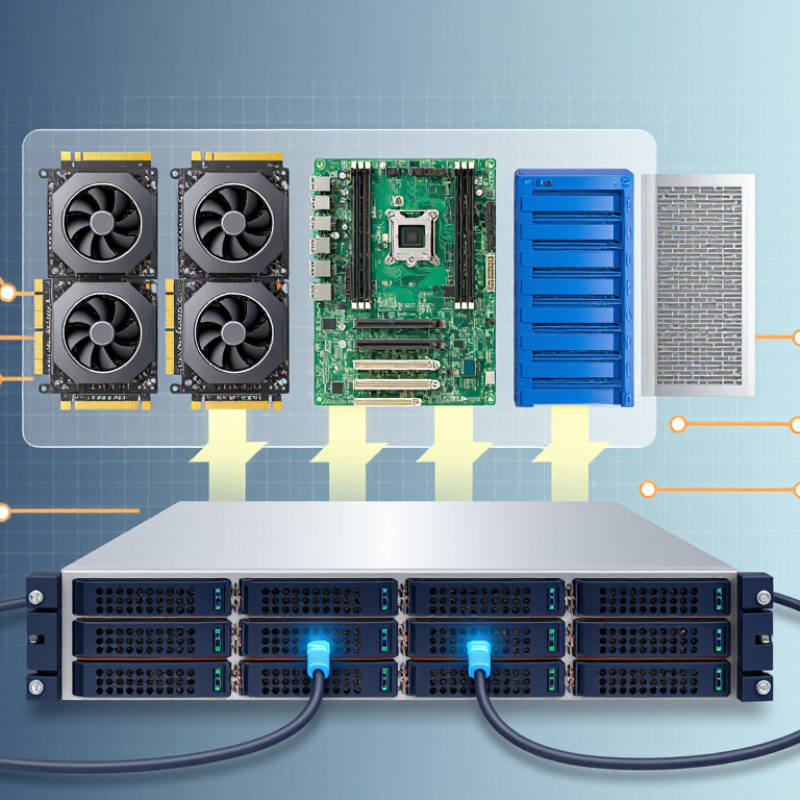
7 Tips for Choosing the Best H100 Server Manufacturer

Understanding H100 Server Requirements and Intended Workloads

An H100 server should match the work you plan to run, not just the GPU count on a spec sheet. Large-model training often needs several GPUs working together, fast interconnects, and enough host memory to keep data moving. Inference may benefit more from memory capacity, predictable latency, and efficient batching. For scientific workloads, check whether your software can use the server’s GPU topology effectively. Small details matter.

Look closely at the exact configuration. H100 systems may use different GPU form factors and interconnect designs, which affect performance, expansion, and power requirements. Ask for measured results on workloads resembling yours, not only peak theoretical figures. Check that the CPU, system memory, storage, and network can feed the GPUs without becoming bottlenecks. Cooling is critical. Confirm whether the facility can support the server’s heat output and power draw under sustained load; a brief demo may not reveal thermal limits. It is easy to overbuy. I would also leave room for uncertainty: workloads change, and early estimates are often imperfect. Document the software versions, operating conditions, and test settings behind any performance claims so comparisons remain useful.

Comparing Manufacturer Expertise and System Configurations

When comparing H100 server manufacturers, look beyond GPU counts. Ask who designed the system’s power delivery, cooling path, and workload validation. A useful evaluation includes sustained-load test results, inlet-temperature limits, and component-level service procedures. Request measurements from a fully populated rack, not an isolated server. Small details matter: cable routing, fan curves, and firmware settings can affect stability. Ask to see the test method. Then check whether it matches your workloads.

Power planning deserves the same scrutiny. The International Energy Agency’s Electricity 2024 report estimated that global data-center electricity use could reach 620–1,050 TWh by 2026, up from about 460 TWh in 2022. Lawrence Berkeley National Laboratory’s 2024 U.S. Data Center Energy Usage Report projected domestic consumption could rise from 176 TWh in 2023 to 325–580 TWh by 2028. These figures make a manufacturer’s power and cooling assumptions worth checking closely. Compare configurations by usable accelerator memory, network bandwidth, storage, and expected thermal performance—not peak specifications alone. Ask for a clear upgrade path and a sample maintenance schedule. One caveat: benchmark results rarely predict every real workload. I would want a pilot, even if it delays the purchase.

Evaluating Performance, Cooling, and Expansion Options

Do not judge an H100 server by peak accelerator numbers alone. Ask for sustained results using your batch size, precision, and model. Request tokens per second, latency percentiles, and whole-system power draw. MLPerf Inference v4.1 results offer useful comparisons, but only when software and test scenarios match. Close, but not identical. A vendor’s headline score may not predict performance in your rack.

Cooling needs specific evidence. Check airflow paths, inlet temperatures, and whether liquid-cooling connections remain accessible during maintenance. Eight accelerators drawing 700 watts each can release 5.6 kW of heat, before CPUs and memory are counted. Lawrence Berkeley National Laboratory estimated U.S. data centers used 176 TWh in 2023, about 4.4% of national electricity. Its 2024 report projects 325–580 TWh by 2028. That makes cooling efficiency a real operating cost, not a minor specification. Before ordering, confirm PCIe lanes, memory capacity, network-card slots, and spare power capacity. Expansion can be less painless than the quote suggests. Cite measured rack-level power and thermal data, not just a chassis cooling label.

Assessing Quality Standards, Warranty, and Technical Support

When evaluating an H100 server manufacturer, ask for documented quality controls, not broad promises. Request factory acceptance results showing sustained GPU load, temperatures, power draw, memory error checks, and network performance. The report should identify the tested configuration and firmware versions. Details matter. A short demonstration cannot replace a repeatable burn-in test, and I would still verify that delivered systems match the approved configuration.

Warranty language needs equal scrutiny. Check coverage length, response targets, replacement-part availability, shipping responsibilities, and whether labor is included. Ask how the manufacturer handles failures across multiple GPUs, rather than only single-part repairs. Uptime Institute’s 2024 Annual Outage Analysis found that 54% of surveyed operators said their latest significant outage cost more than $100,000; 16% reported costs above $1 million. Those figures concern data-center outages generally, not H100 failures, but they show why clear escalation and repair timelines matter.

Technical support should be tested before purchase. Ask who answers urgent cases, what diagnostic logs are required, and whether engineers can support cooling, BIOS, and driver issues together. Request a sample service-level agreement and a real escalation path. Ask for evidence. A strong support team should explain likely causes plainly, not just forward a ticket. One detail is easy to overlook: support quality may vary by time zone, and the contract should say so.

Verifying Pricing, Delivery Times, and Compliance Requirements

7 Tips for Choosing the Best H100 Server Manufacturer

Verifying Pricing, Delivery Times, and Compliance Requirements

An H100 server quote is only useful when its scope is clear. Ask for an itemized price covering GPUs, the host system, memory, storage, networking, rails, and support. Confirm whether installation, freight, insurance, duties, and applicable taxes are included. Compare identical configurations, not just headline totals. A low quote may omit power cables or high-speed interconnects. Get payment milestones and warranty terms in writing. Small details matter.

Delivery dates need evidence, not optimism. Request a written schedule for component allocation, assembly, burn-in testing, shipping, and site arrival. Ask what happens if a key component is delayed, and whether partial shipment changes costs. Before booking transport, verify rack dimensions, power draw, cooling needs, and receiving access. Compliance checks should match the destination and intended deployment. Request applicable conformity documents, product identifiers, origin details, and import or export paperwork. Have procurement staff confirm each document fits the destination; complete-looking paperwork can still be mismatched. Keep copies tied to the exact configuration and shipment. One awkward truth: dates and documents can change. Recheck them before payment and dispatch.

FAQS

What should I compare when choosing an accelerator server?

Compare usable accelerator memory, network bandwidth, storage, and sustained thermal performance. Peak specifications tell only part of the story.

What performance results should I request?

Ask for tokens per second, latency percentiles, and whole-system power draw. Test with your batch size, precision, and model.

Why request rack-level measurements?

A fully populated rack can behave differently from one isolated server. Check measured power, inlet temperatures, and airflow under sustained load.

How much heat can eight accelerators produce?

At 700 watts each, eight accelerators release about 5.6 kilowatts of heat. CPUs and memory add more.

What cooling details matter?

Review airflow paths, fan settings, and inlet-temperature limits. Confirm liquid-cooling connections stay reachable during maintenance.

How can I check future expansion options?

Verify PCIe lanes, memory capacity, network-card slots, and spare power capacity. Expansion may be less painless than the quote suggests.

What should I ask about system reliability?

Request sustained-load test methods, firmware settings, cable-routing details, and component-level service procedures. Small details matter.

Are benchmark scores enough to predict real performance?

Not always. Results may not match your software or workload, so a pilot can reveal gaps. I would still want one, even if it delays the purchase.

Conclusion

Choosing the right H100 server manufacturer starts with a clear understanding of your intended workloads, such as AI training, inference, or high-performance computing. Define your requirements for compute capacity, memory, networking, and future growth before comparing manufacturers. Look for proven expertise in configuring systems that match your needs, and assess how each design balances performance, cooling efficiency, and expansion options.

A reliable choice also depends on more than hardware specifications. Review quality standards, warranty coverage, and the availability of responsive technical support. Confirm pricing, expected delivery times, and any compliance requirements relevant to your organization. By evaluating these factors together, you can select an H100 server manufacturer that offers a suitable system, dependable service, and a practical path for scaling your infrastructure.

Mason

Mason

Mason is a seasoned marketing professional with a deep expertise in the company's offerings and a passion for driving brand awareness. With a strong background in digital marketing strategies, he has an innate ability to connect with diverse audiences and effectively communicate product benefits.......